User Guide
Master Linerly with our step-by-step visual guide.
Client List & Management
#1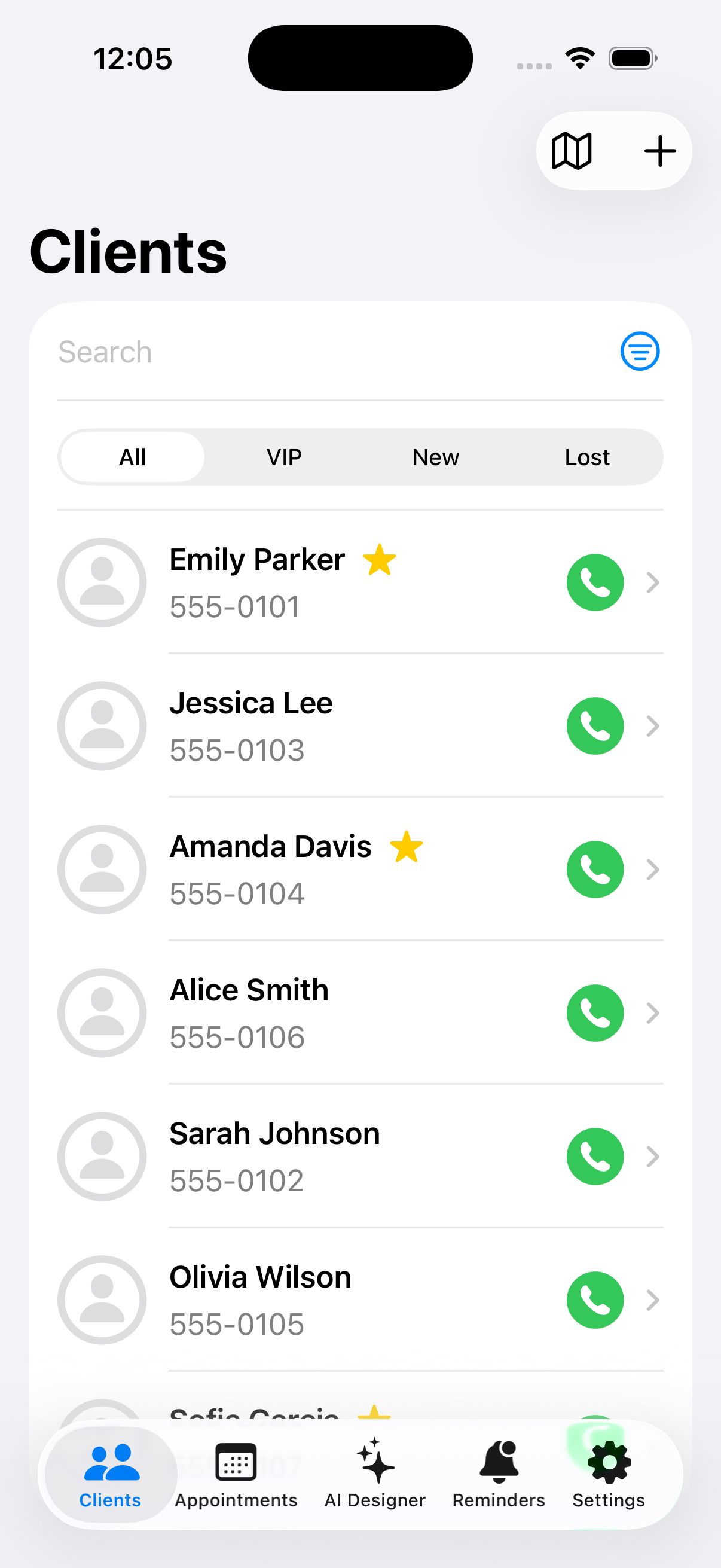
Add New Client
#2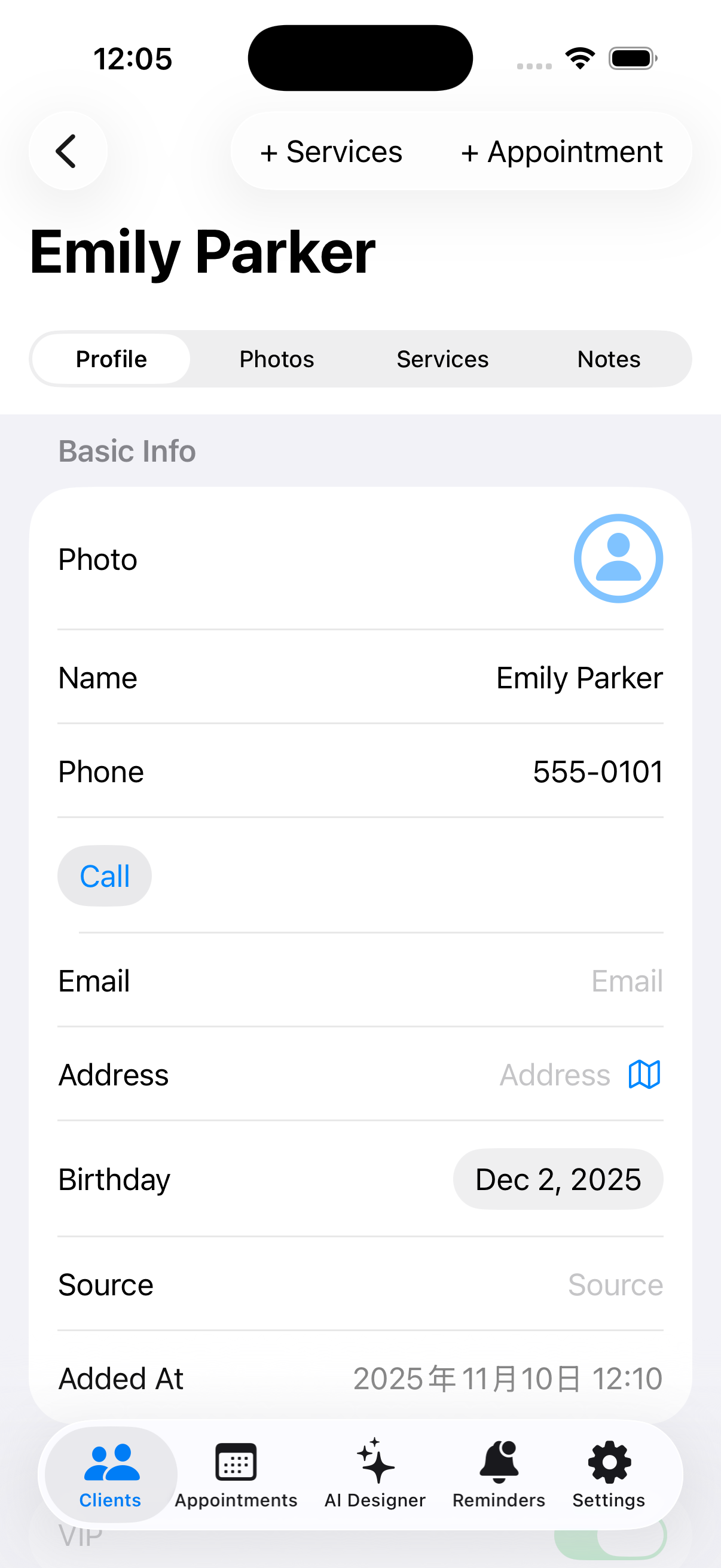
Detailed Client Profile
#3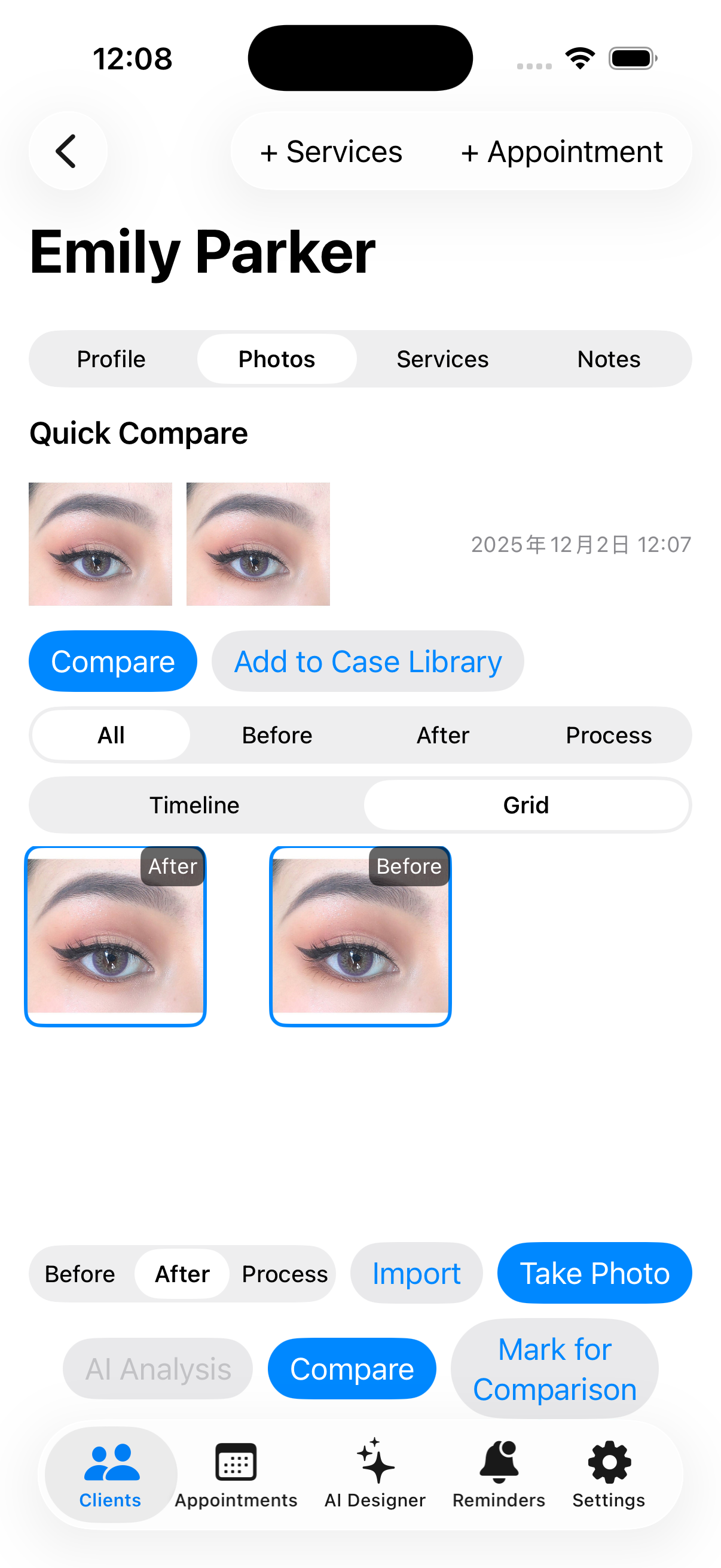
AI Face Analysis
#4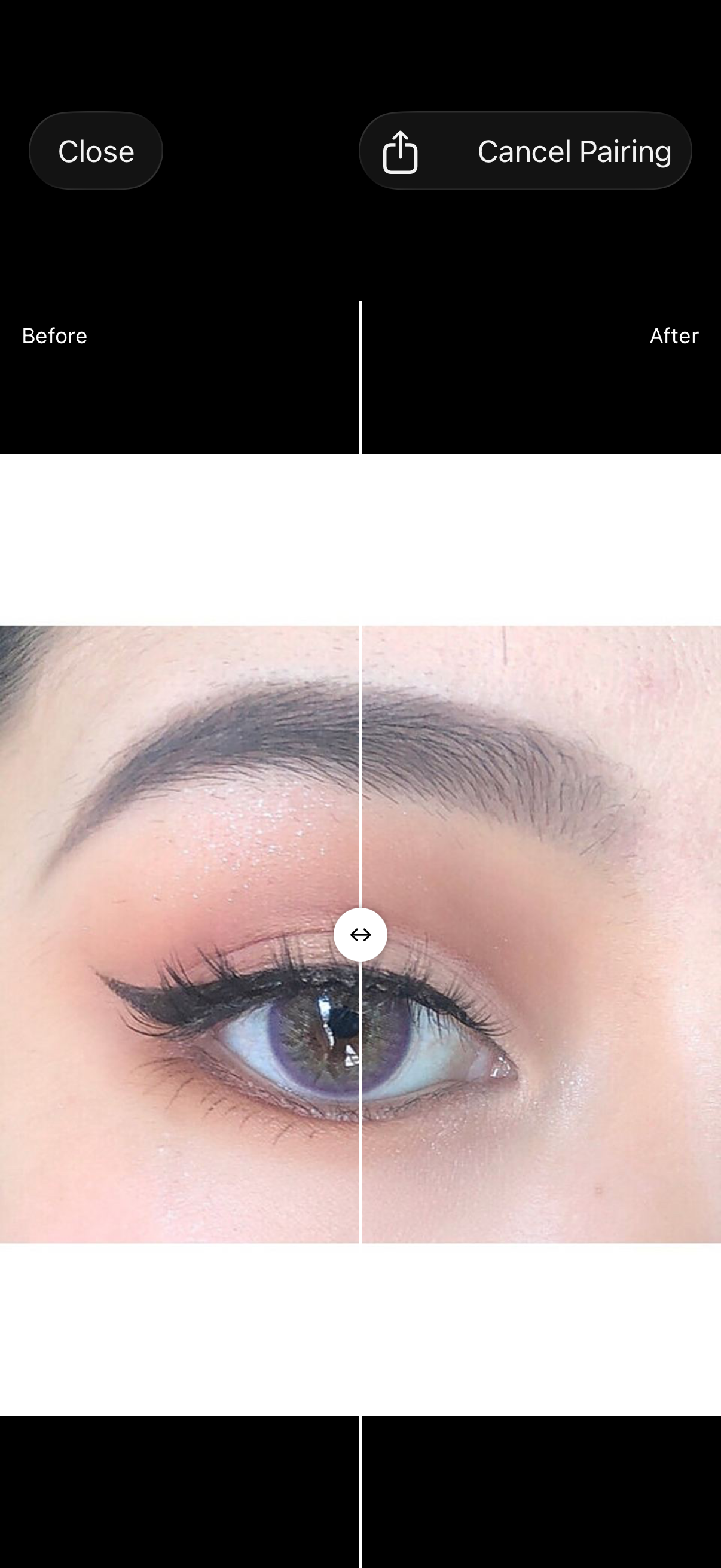
Service & Payment Records
#5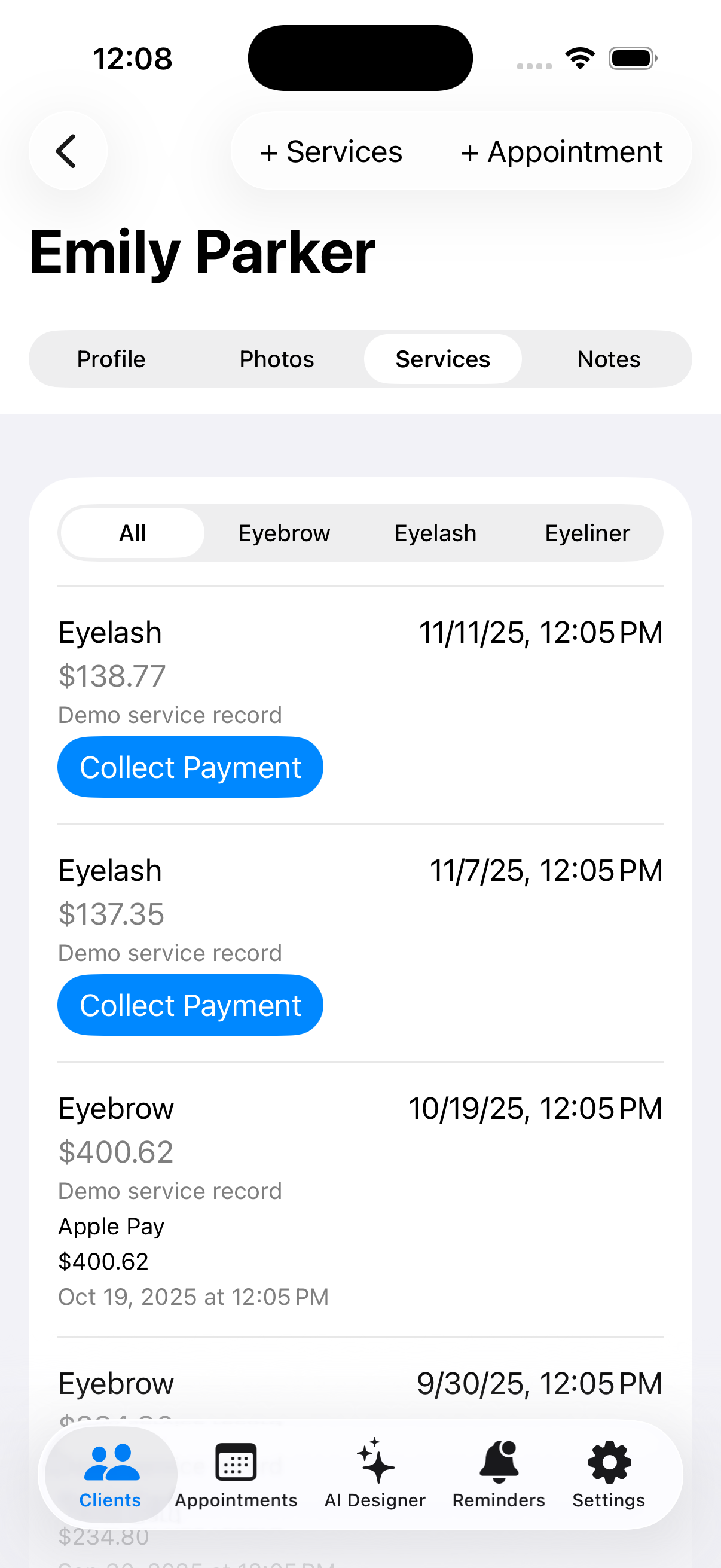
Appointment Management
#6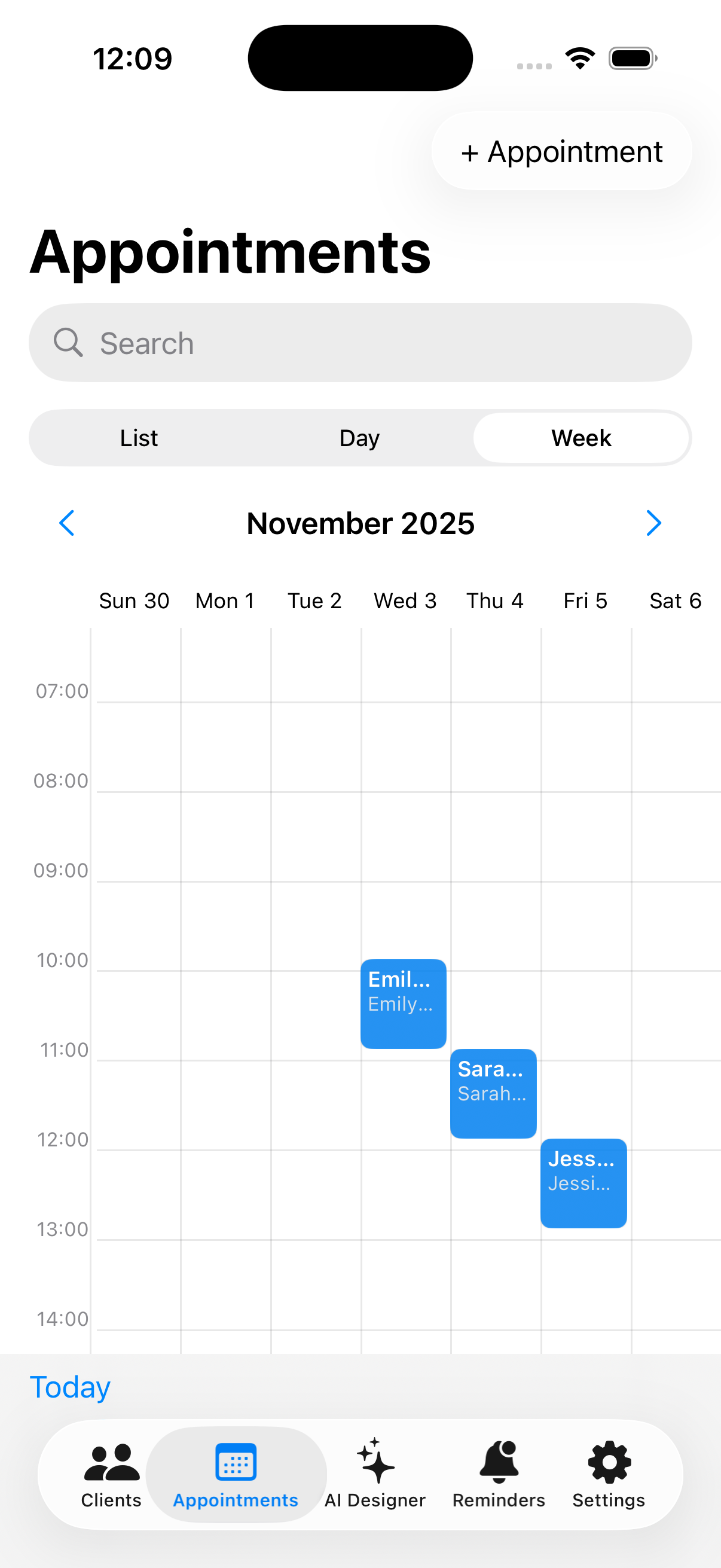
Reminders
#7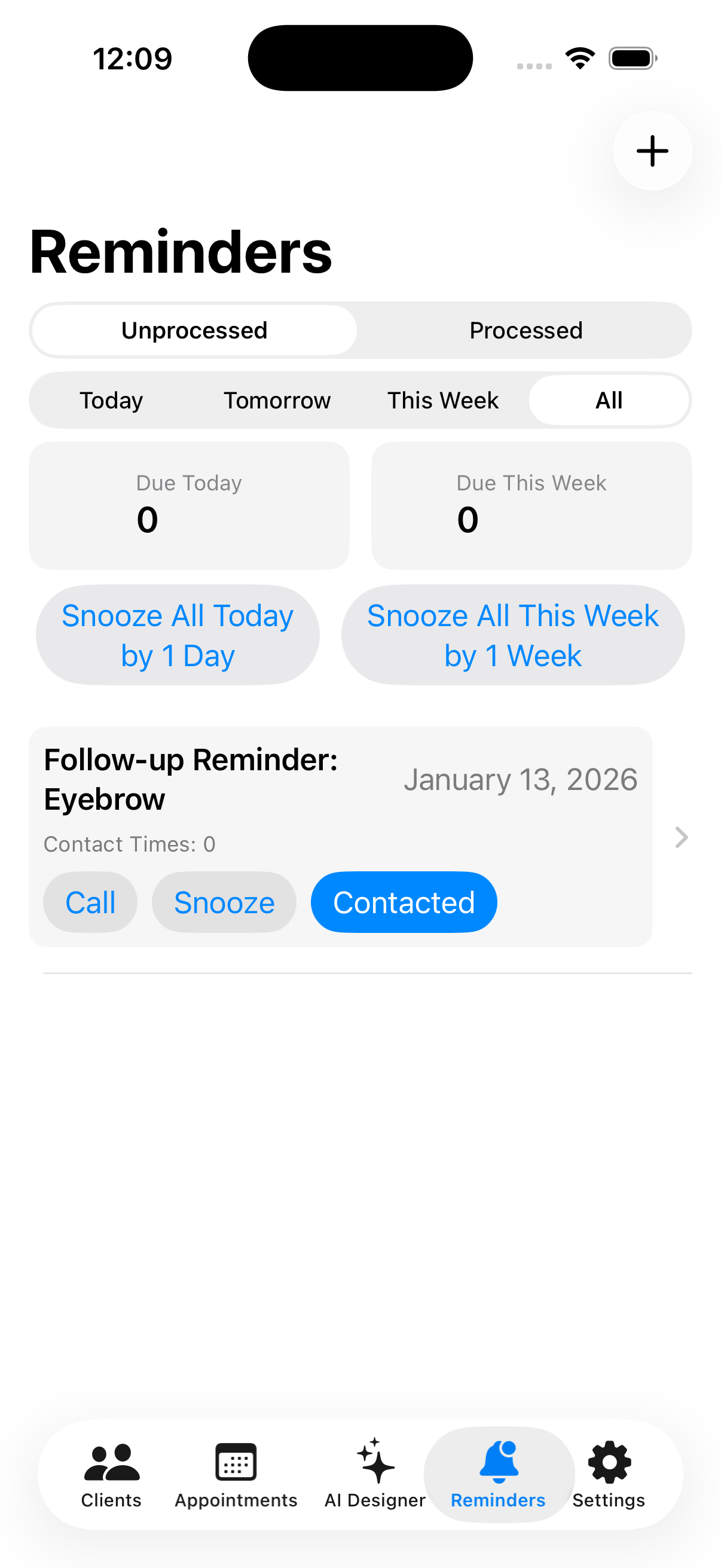
Information Settings
#8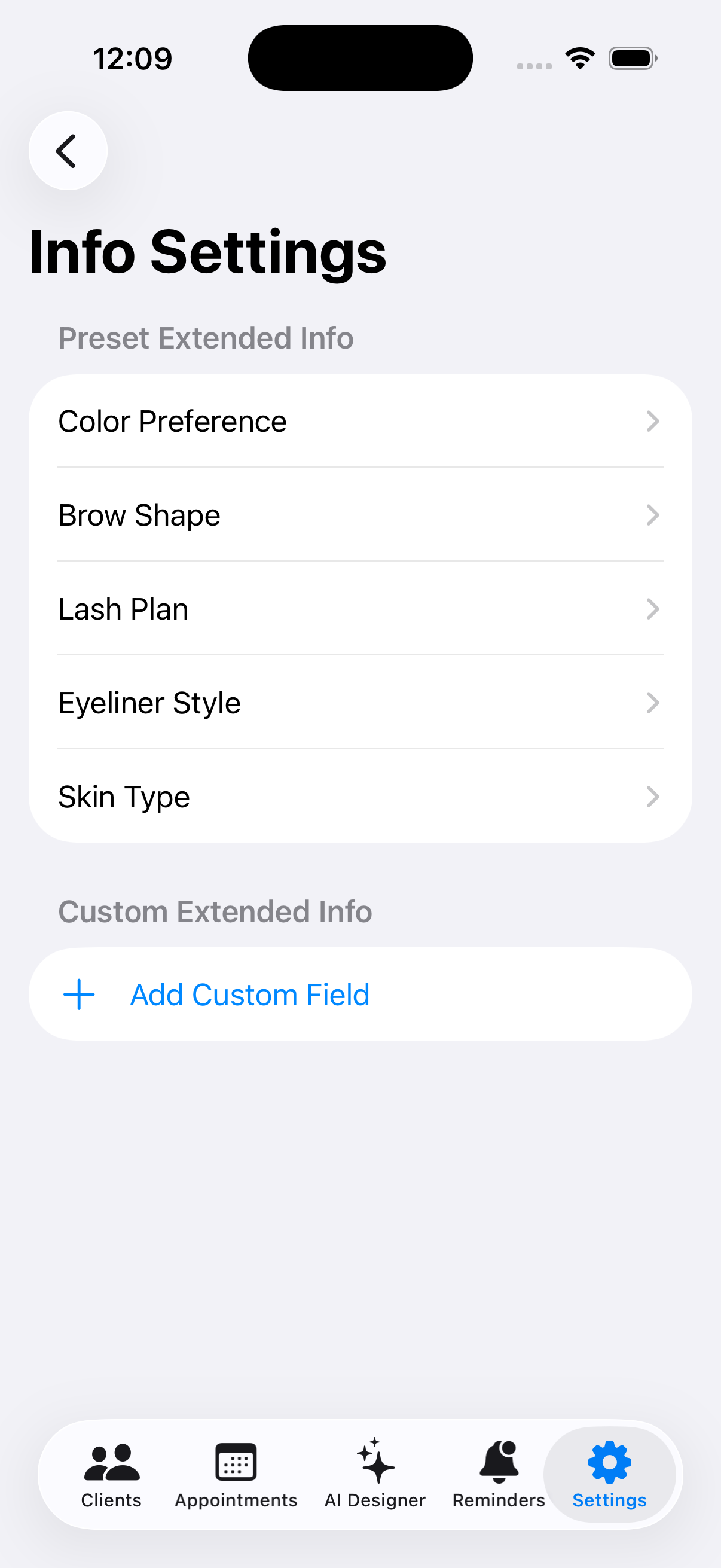
AI Design Assistant
#9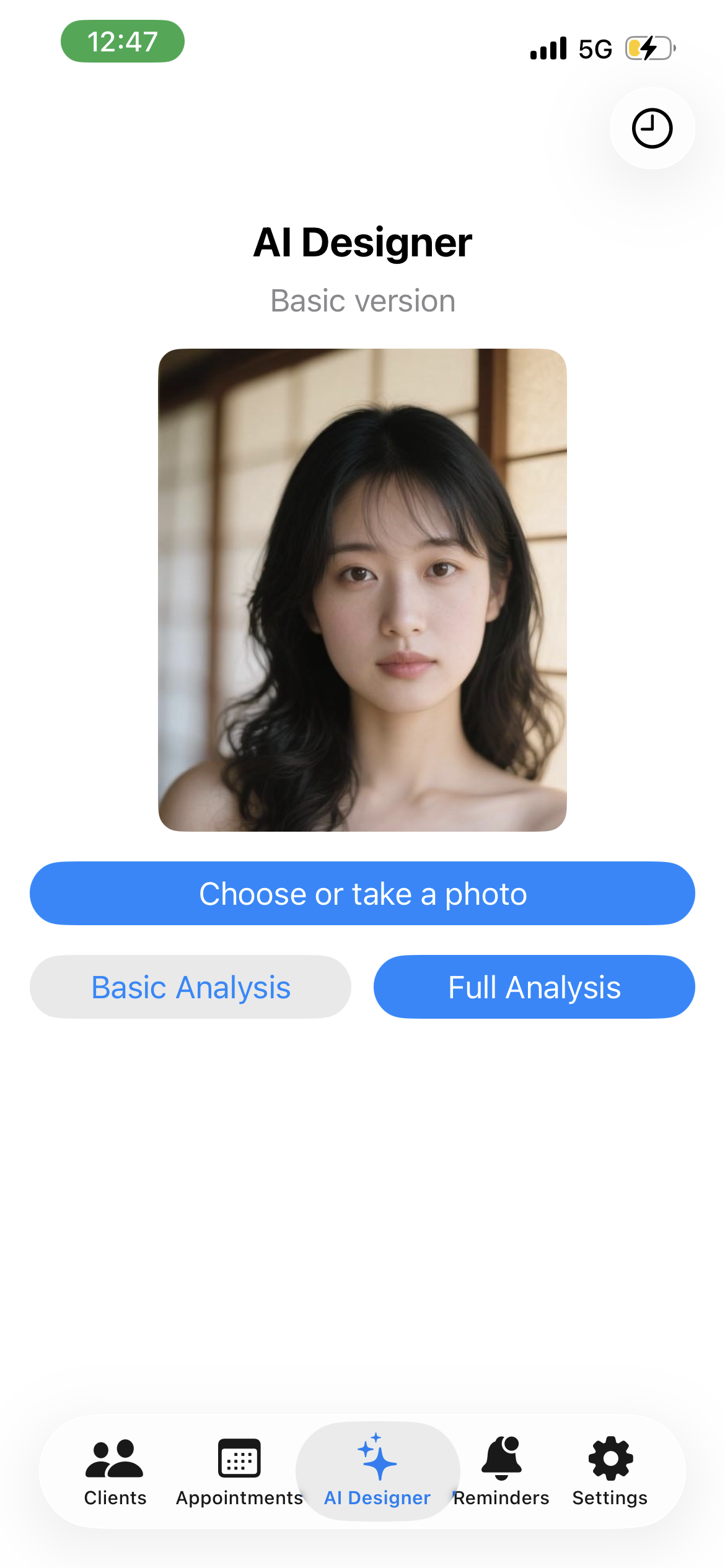
AI Design Assistant
#10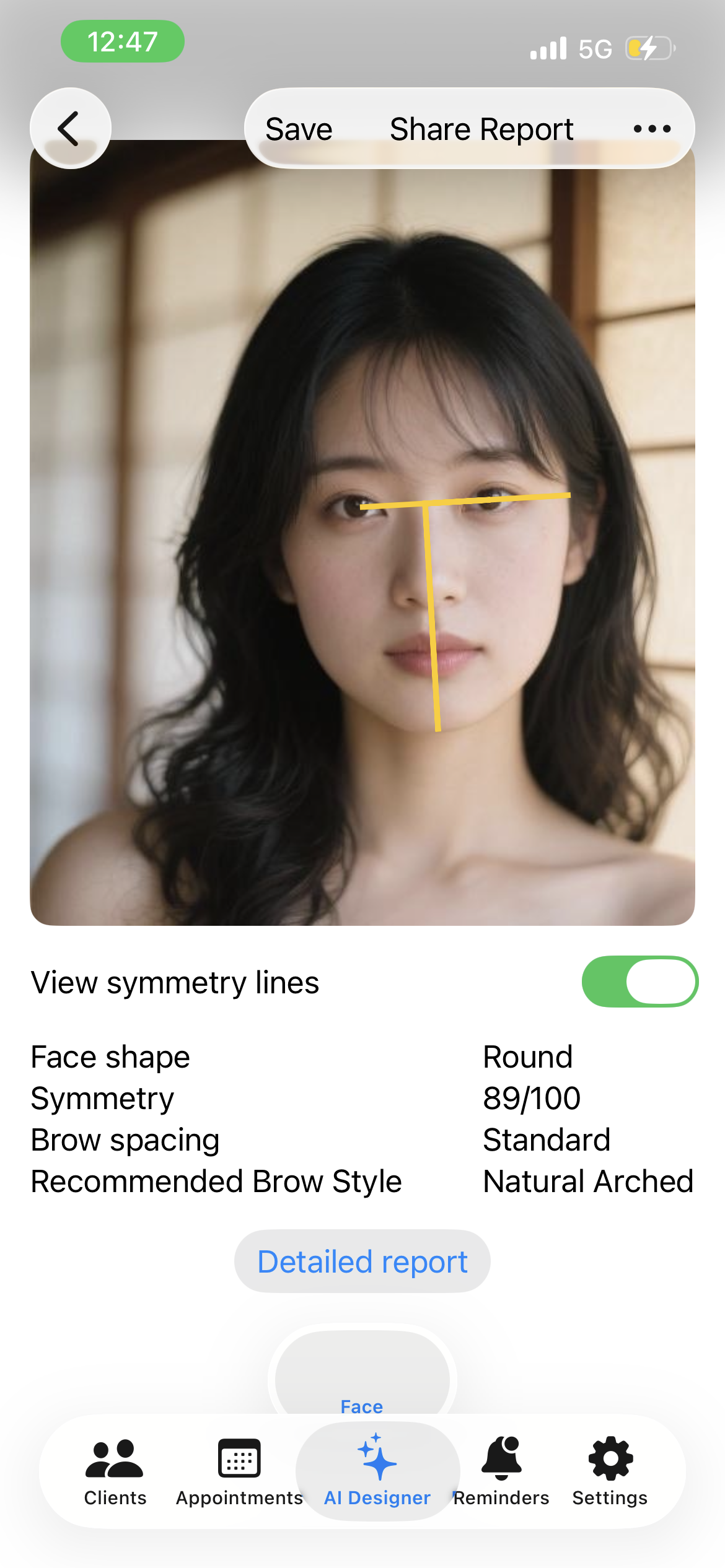
Client Management on iPad
#11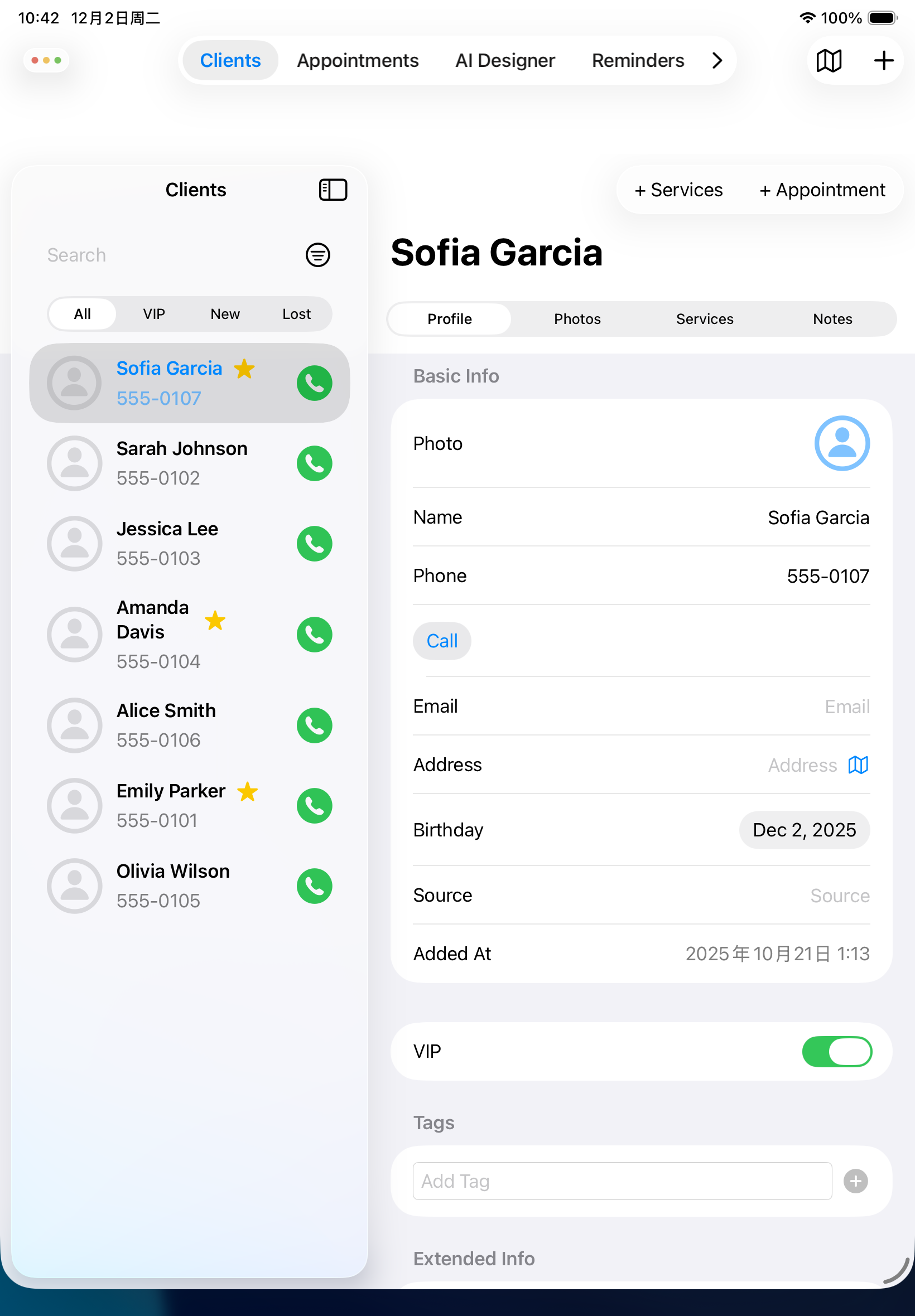
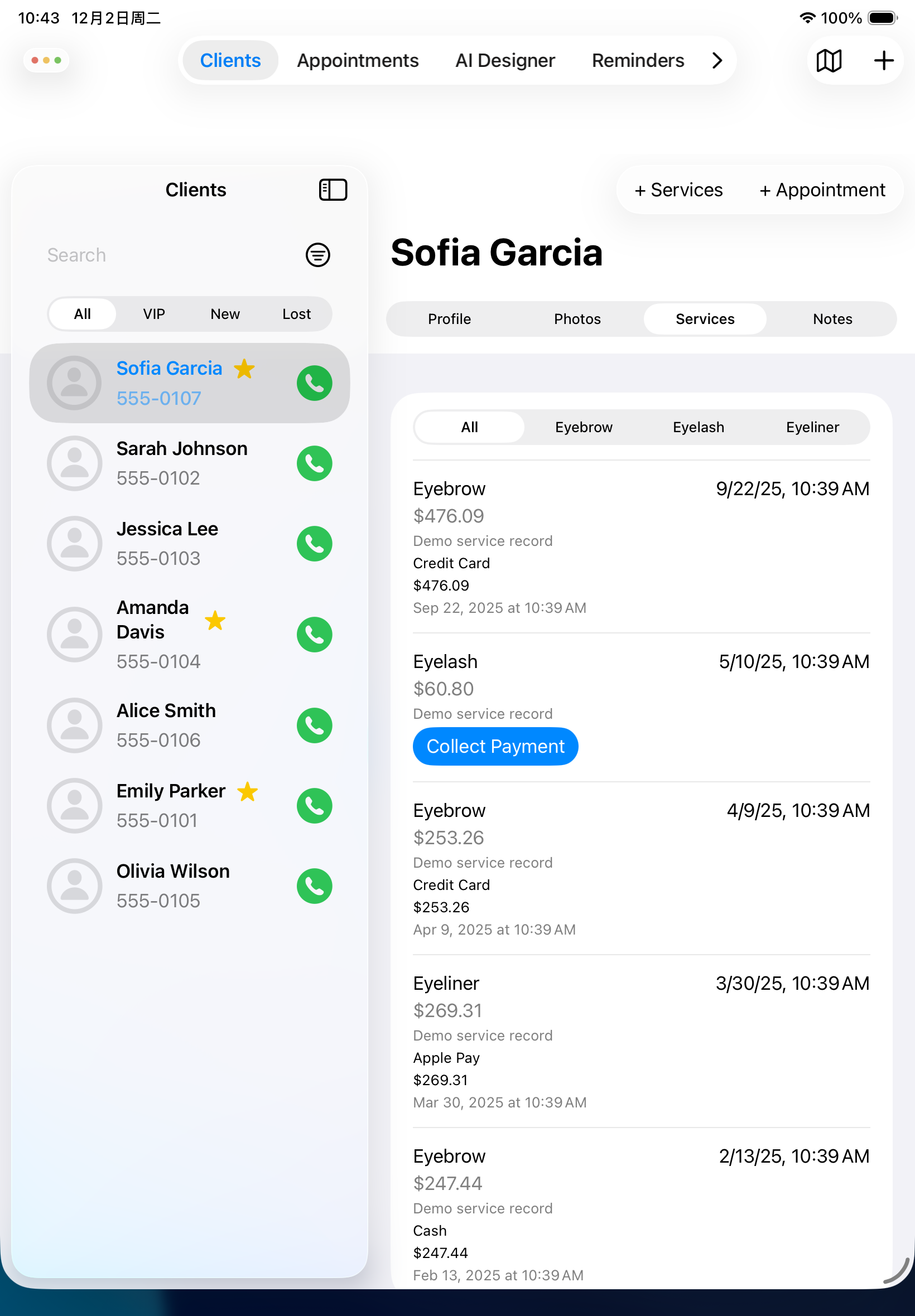
Service & Payment Records on iPad
#12